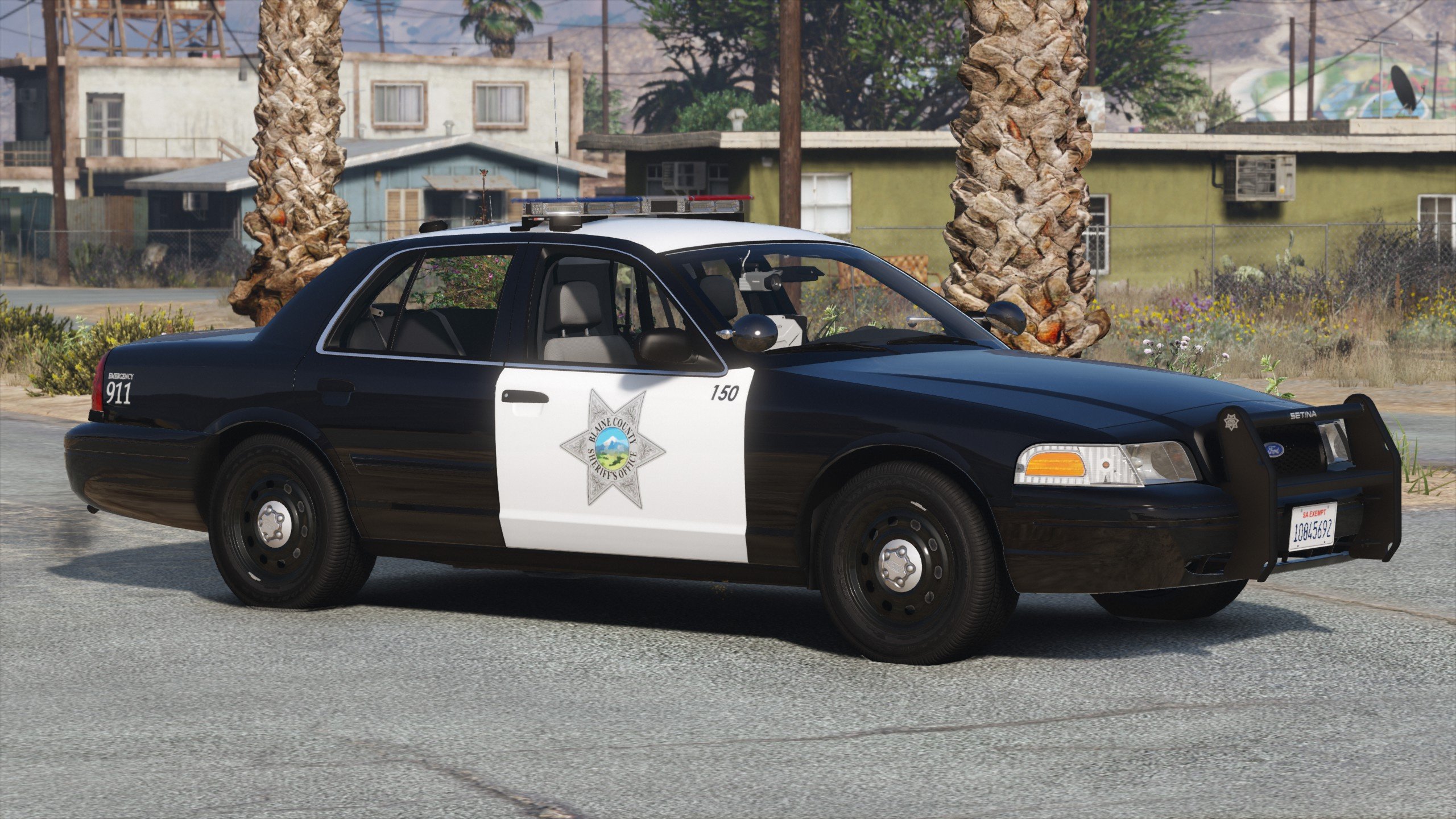
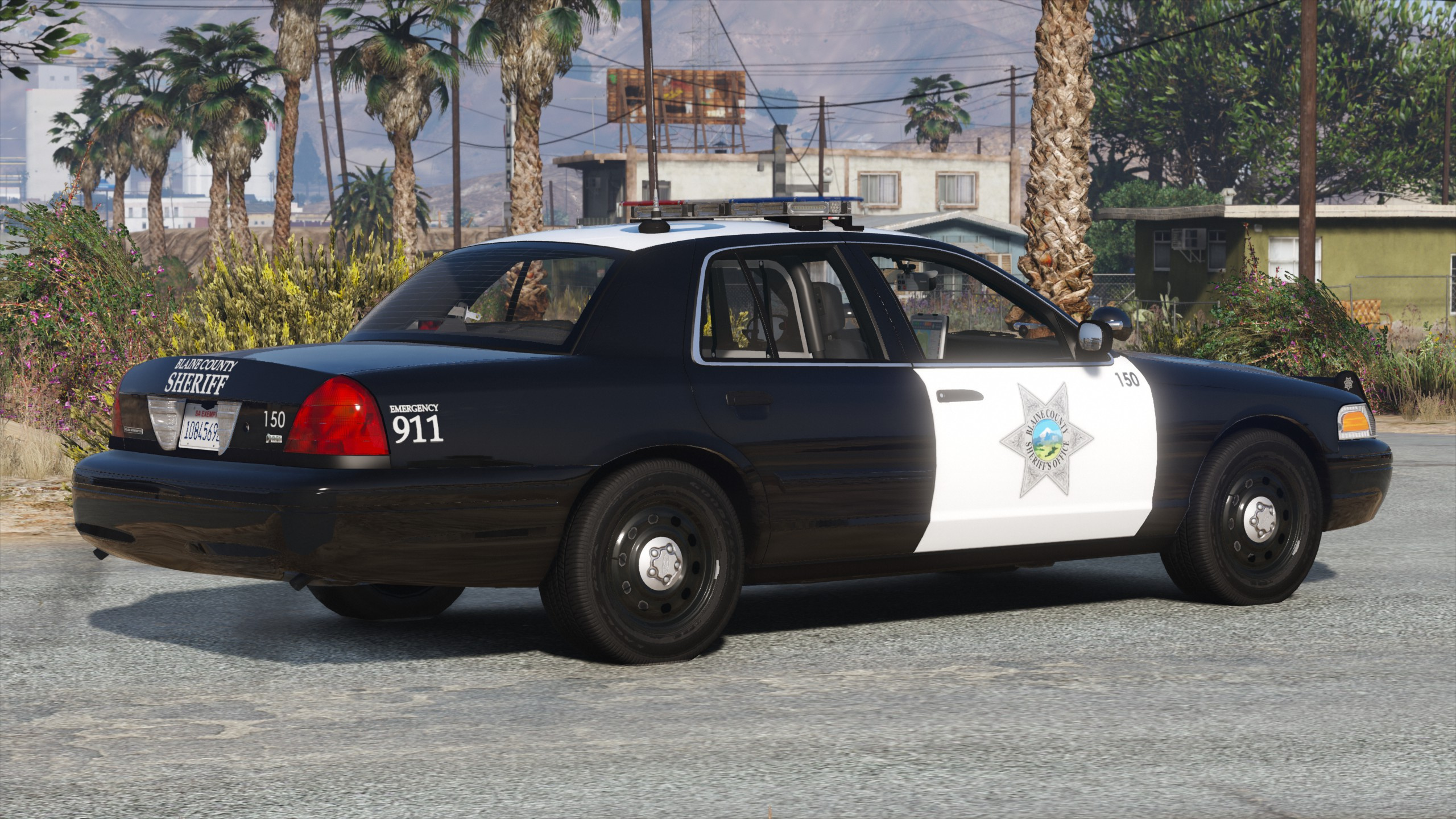
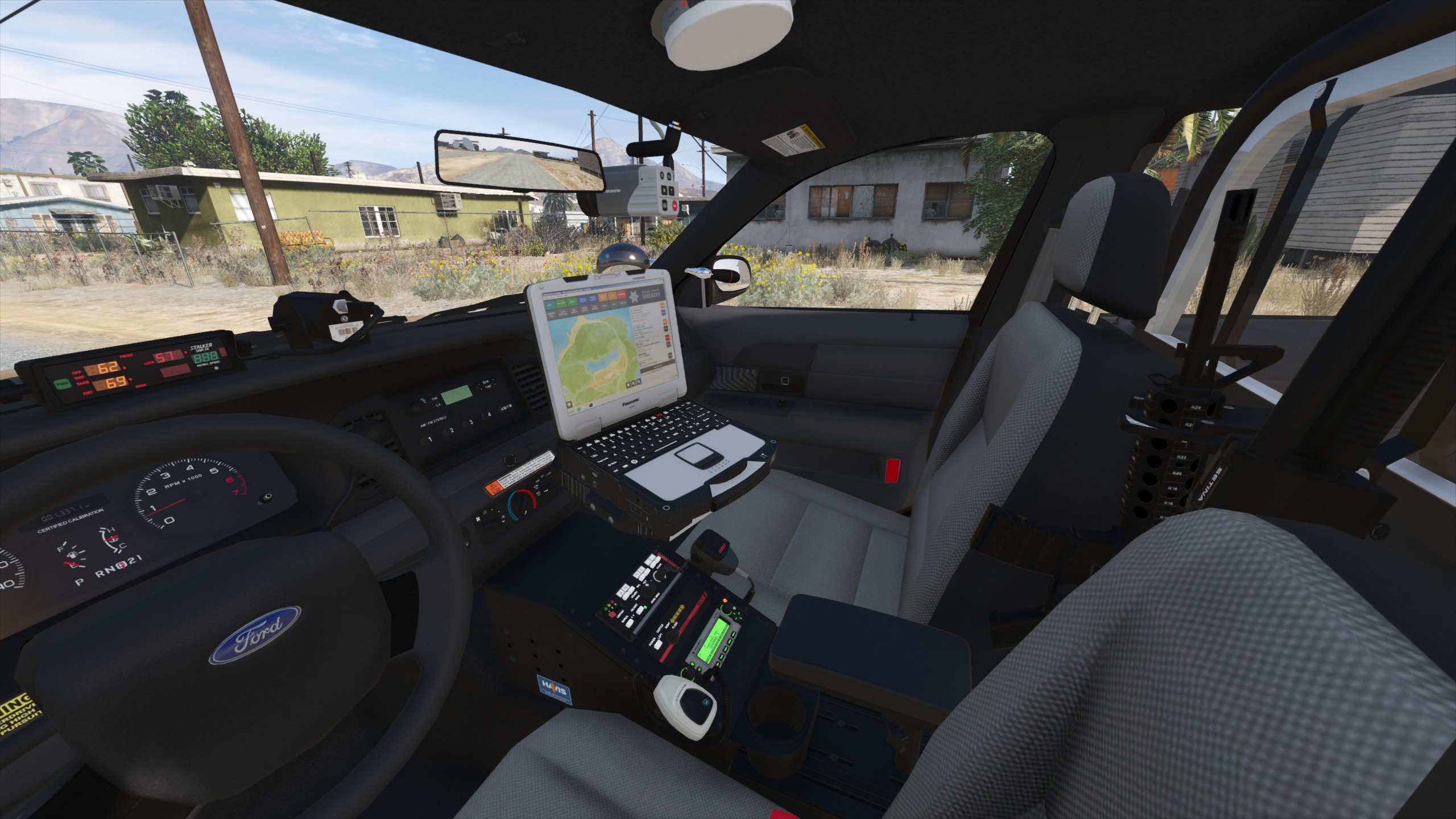
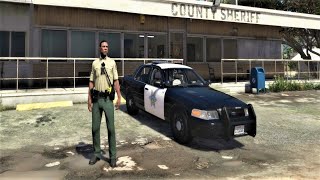
2010 Ford Crown Victoria Police Interceptor - Blaine County Sheriff's Office (BCSO) [Add-On / Replace | DLS / non-ELS] 1.2RX
![2013 Chevrolet Caprice PPV - Slicktop and Unmarked - Blaine County Sheriff's Office (BCSO) [Add-On | DLS / non-ELS]](https://img.gta5-mods.com/q75-w500-h333-cfill/images/2013-chevrolet-caprice-ppv-slicktop-and-unmarked-blaine-county-sheriff-s-office-bcso-add-on-dls-non-els/e4a0ab-thumb_5mods.jpg "2013 Chevrolet Caprice PPV - Slicktop and Unmarked - Blaine County Sheriff's Office (BCSO) [Add-On | DLS / non-ELS]")
![2018 Dodge Charger - Los Santos Police Department (LSPD/LAPD) Unmarked [Add-On / Replace | DLS / non-ELS]](https://img.gta5-mods.com/q75-w500-h333-cfill/images/2018-dodge-charger-los-santos-police-department-lspd-lapd-unmarked-add-on-replace-dls-non-els/3f5b34-pic1.jpg "2018 Dodge Charger - Los Santos Police Department (LSPD/LAPD) Unmarked [Add-On / Replace | DLS / non-ELS]")
![2016 Ram 2500 - Los Santos Fire Department (LSFD/LAFD) [Add-On | DLS / non-ELS]](https://img.gta5-mods.com/q75-w500-h333-cfill/images/2016-ram-2500-los-santos-fire-department-lsfd-lafd-add-on-dls-non-els/2ec30f-pic1.jpg "2016 Ram 2500 - Los Santos Fire Department (LSFD/LAFD) [Add-On | DLS / non-ELS]")
![2013 Chevrolet Caprice PPV - Blaine County Sheriff's Office (BCSO) [Add-On / Replace | DLS / non-ELS]](https://img.gta5-mods.com/q75-w500-h333-cfill/images/2013-chevrolet-caprice-ppv-blaine-county-sheriff-s-office-bcso-add-on-replace-dls-non-els/388378-thumb_5mods.jpg "2013 Chevrolet Caprice PPV - Blaine County Sheriff's Office (BCSO) [Add-On / Replace | DLS / non-ELS]")
16.311
78
16.311
78
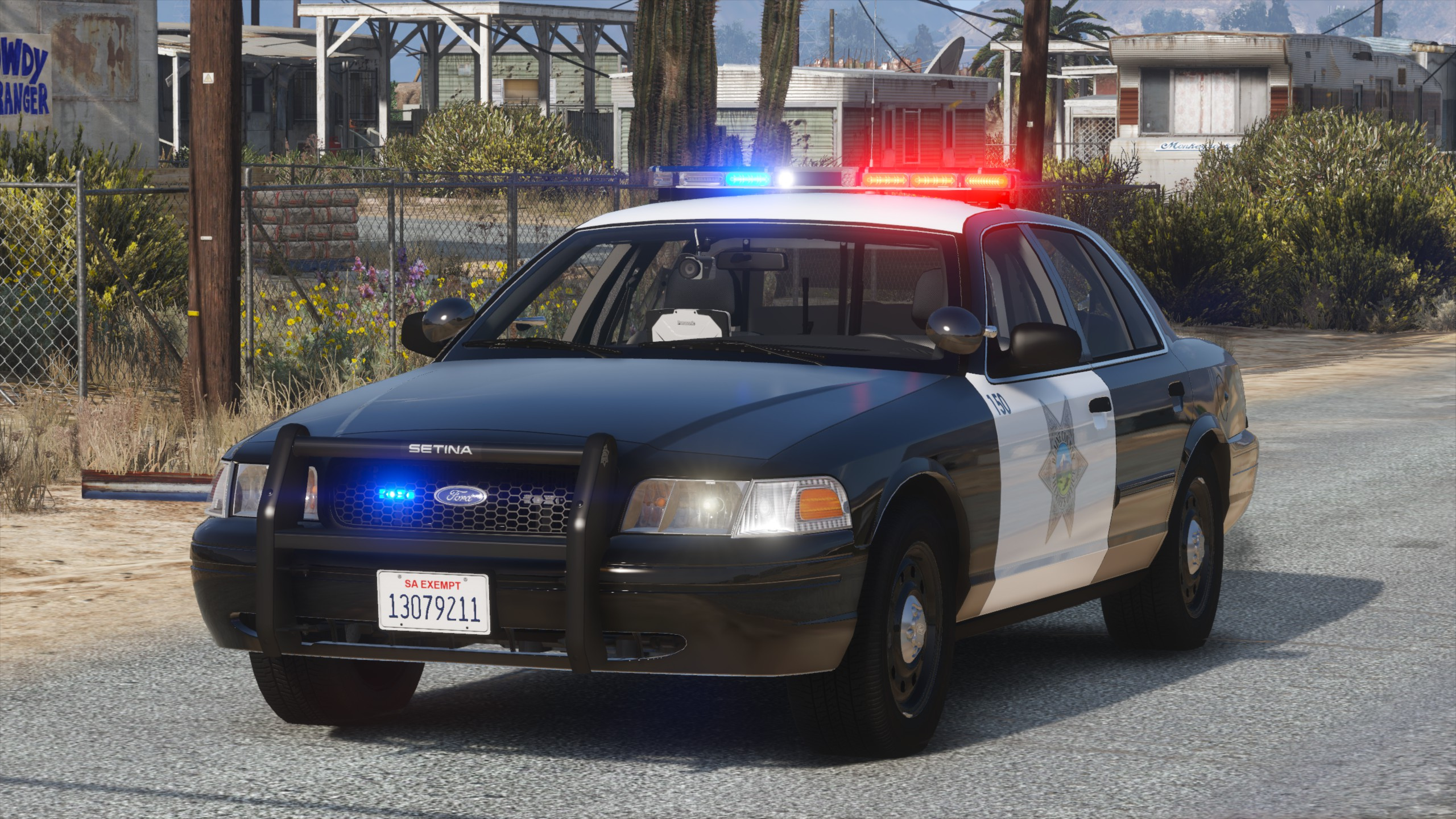
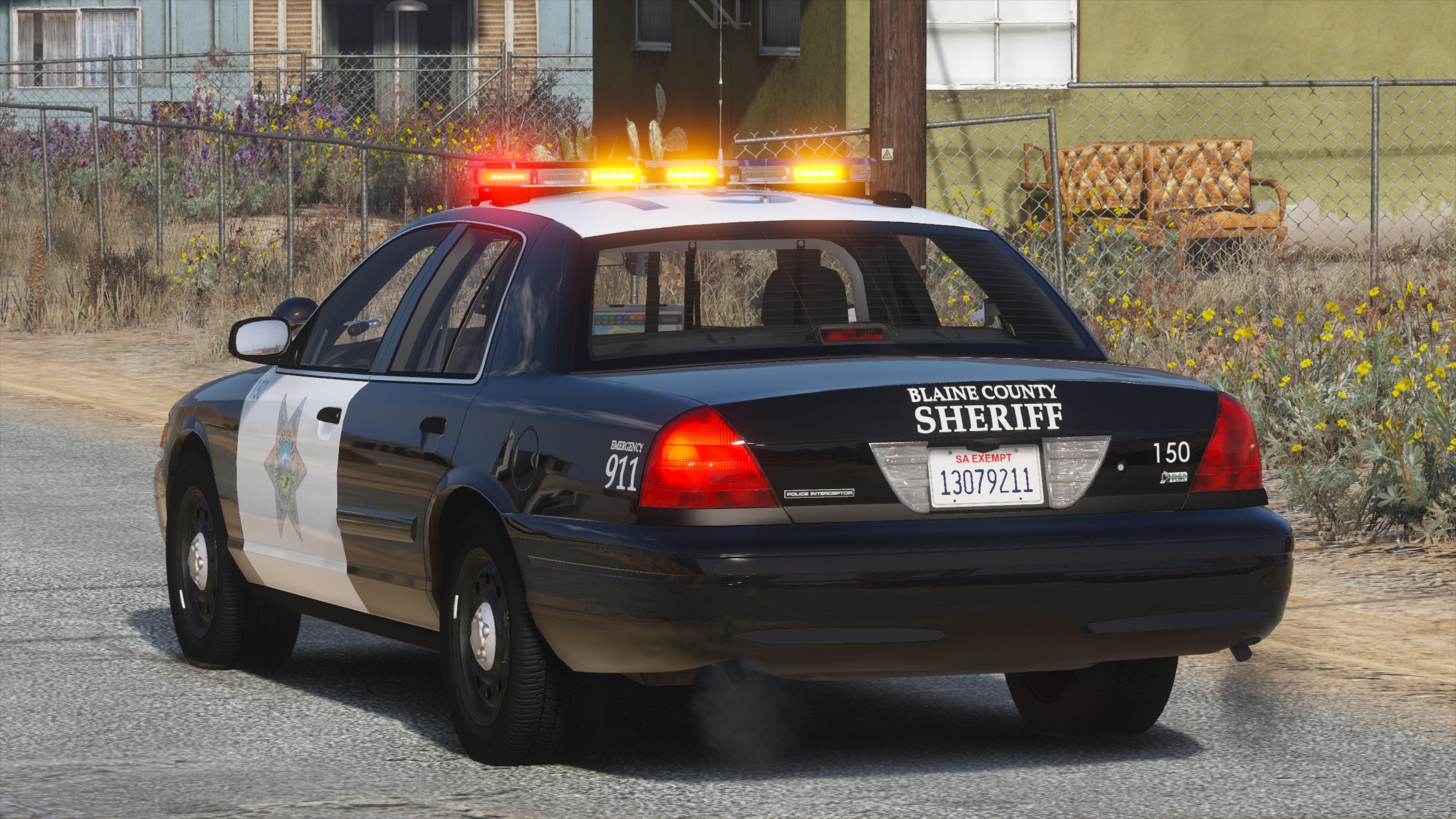
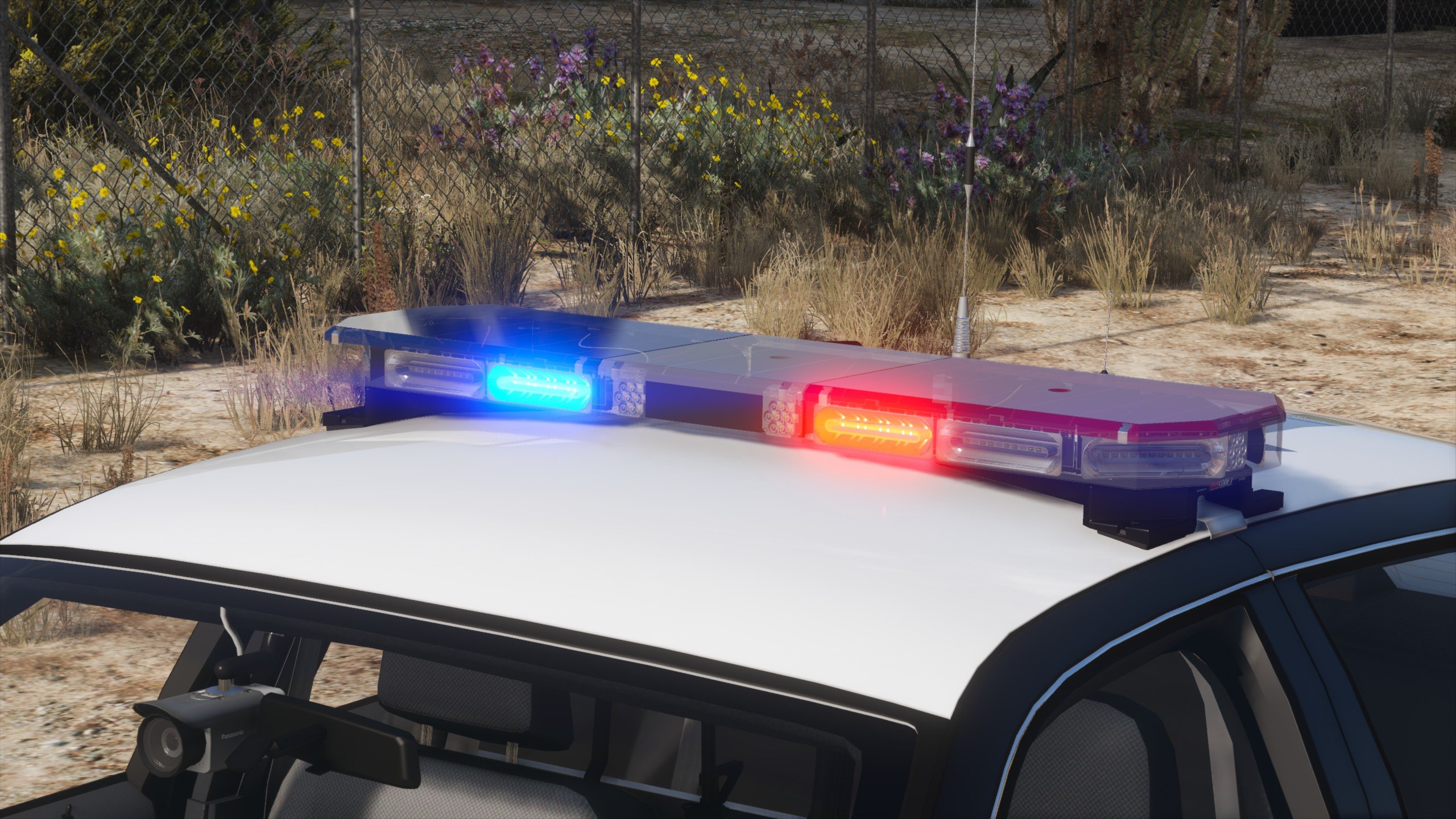
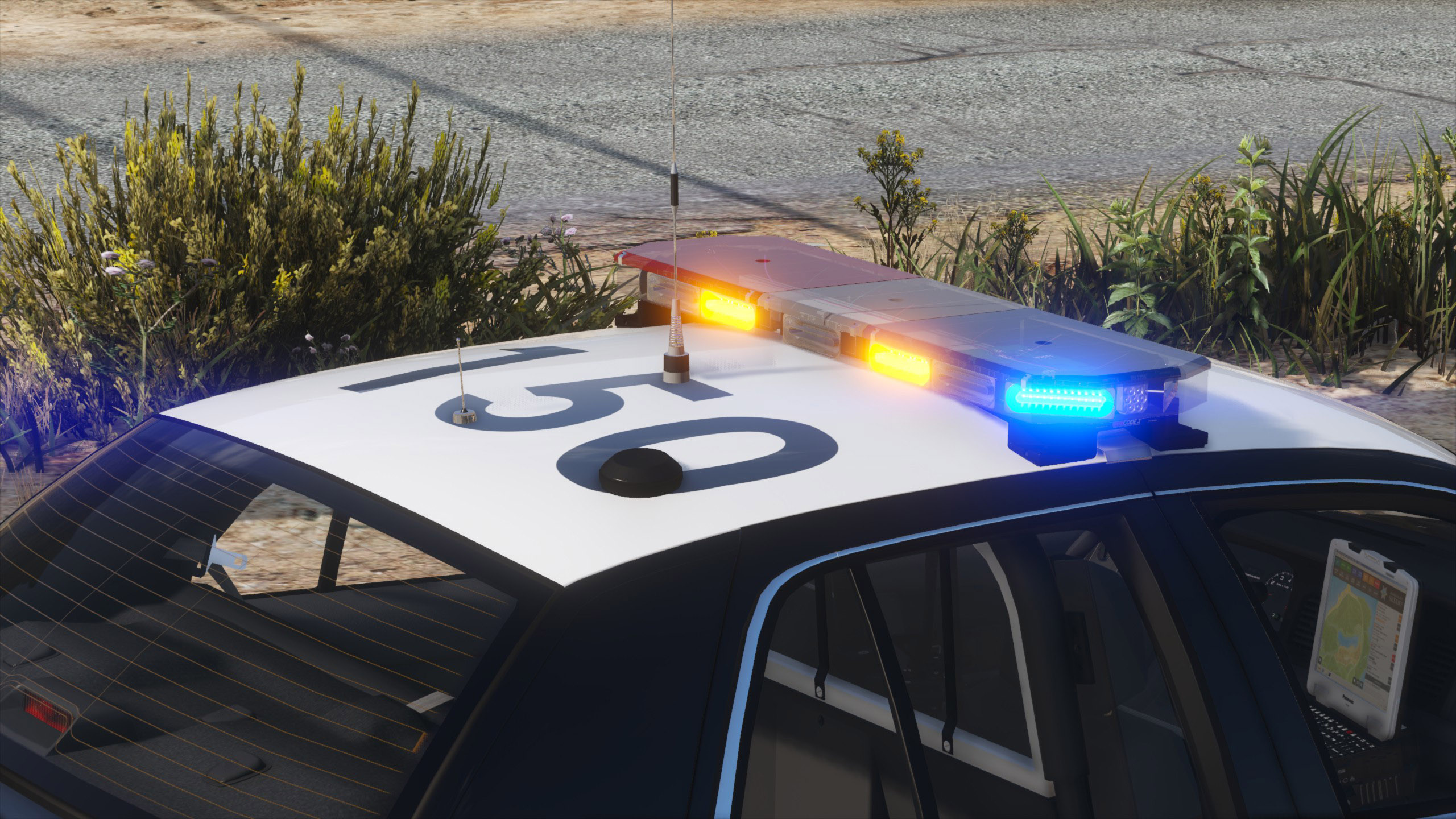
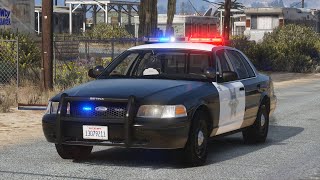
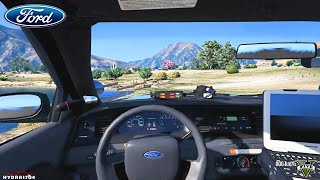
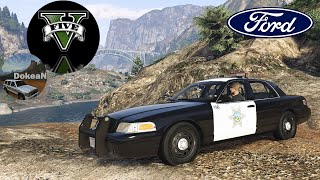
A fictional, California-inspired BCSO Ford Crown Victoria Police Interceptor with a Code 3 RX2700 lightbar. A non-ELS vehicle featuring optional DLS support for light stages and traffic advisor patterns.
Vehicle Slot: sheriff (Replace) or bcso (Add-On)
Lighting Equipment: Code 3 RX2700
DLS Support: DLS 1.4 (optional)
Multiple Liveries: Supported
Credits
Notes
This mod supports DLS (Dynamic Lighting System) for realistic light stages, siren controls and more. DLS is optional, this car functions as a non-ELS car without DLS.
It is recommended to use a modified visualsettings.dat file to increase emergency light brightness, such as my Improved Emergency Lights modification.
Extra components:
Recommended Mods:
- Better License Plates
- SirenSetting Limit Adjuster (minimizes the risk of sirensetting ID conflicts with other mods)
Unlocked parts for vehicle developers:
- Code 3 RX2700 Lightbar
- Code 3 XT4 LEDs
- Code 3 HB915 9 LED Hide-A-Blast
- Setina PB400 Pushbar for CVPI
- Unity PAR46 Halogen Spotlight
- Havis Console for CVPI
- Setina Partition for CVPI
- Setina Weapon Mount with M4 Rifle and 870 Shotgun
- Panasonic Arbitrator 360° Dashcam
- Panasonic Toughbook CF-30
- Code 3 Mastercom 3892L6 Controller
- Code 3 ArrowStik Control Box
- Code 3 C3100 Speaker
- Motorola Antennas
- AntennaPlus Cellular and GPS Antennas
- SoundOff Signal Interior Dome Light
Terms of use
You may replace or edit textures for personal use and create and redistribute liveries of your own using the provided template.
You may not circumvent any protecting measures to edit models, you may not redistribute this archive or its contents without permission. You may not use any included textures for other modifications.
Installation
Recommended - Add-On or Replace: Automatic installation with LML (Lenny's Mod Loader)
Copy the Replace or the Add-On folder with its contents into your GTAV\lml folder. To install the DLS Vehicle Config File, open the Mod Manager, select the modification and click the "Copy files to game" button.
Manual Installation: Add-On Version
Open the Add-On folder and copy the contents of the Files\GTAV folder to your GTA V folder.
Export GTAV\update\update.rpf\common\data\dlclist.xml using OpenIV, open it with any text editor, and add the following line between </Item> and </Paths> at the bottom of the file:
<Item>dlcpacks:/acbcso/</Item>
Replace the original dlclist.xml with the edited one.
To install the DLS Vehicle Config File, copy the contents of the Data Files\DLS\GTAV folder to your GTA V folder.
Manual Installation: Replace Version
Open the Replace folder and copy the contents of the Files\GTAV folder to your GTA V folder.
Export GTAV\update\update.rpf\common\data\dlclist.xml using OpenIV, open it with any text editor, and add the following line between </Item> and </Paths> at the bottom of the file:
<Item>dlcpacks:/acsheriff/</Item>
Replace the original dlclist.xml with the edited one.
Open Data Files\vehicles_meta.txt with any text editor and copy all its content. Export GTAV\update\update.rpf\common\data\levels\gta5\vehicles.meta using OpenIV, open it with any text editor, create a new line between </Item> and </InitDatas> and paste the previously copied content. Open Data Files\vehicles_meta_txdRelationships.txt with any text editor and copy all its content. In your exported vehicles.meta, create a new line between </Item> and </txdRelationships> and paste the previously copied content. Replace the original vehicles.meta with the edited one.
To install the DLS Vehicle Config File, copy the contents of the Data Files\DLS\GTAV folder to your GTA V folder.
Vehicle Slot: sheriff (Replace) or bcso (Add-On)
Lighting Equipment: Code 3 RX2700
DLS Support: DLS 1.4 (optional)
Multiple Liveries: Supported
Credits
- Original vehicle model is Ford Crown Victoria Police Interceptor from Forza, converted to GTA V and edited to 2003-2011 CVPI by HANAKO. Information, references, and support provided by Cartres, 0taku, Officer Underwood, EVI, Cj24, Oleg, Vans123 and the members of Modding Forum.
- Minor base edits by Cj24, including moving the trunk fascia template slightly lower, downscaling and compression improvements for some textures, modified taillight emissive color, adjustments to license plate and third brake light scale, and transmission tunnel height. Light emissive textures upscaled and colors adjusted by Cartres.
- Undercarriage, tires, and rims made from scratch by HANAKO, Tire textures by RobertTM and Cartres.
- Code 3 RX2700 lightbar, XT4 grill lights, and HB915 hide-away lights modeled and textured by Cj24.
- Motorola radio, M4 rifle, and Stalker radar modeled and textured by Kane104.
- Setina PB400 pushbar, Code 3 Mastercom and ArrowStik controllers, C3100 siren speaker, Havis console, Setina partition and weapon mount, 870 shotgun, Panasonic Arbitrator dashcam, Panasonic Toughbook, SoundOff Signal dome light, Unity spotlights, and antennas modeled and textured by Cj24.
- Liveries, Lighting and DLS setup, and configuration files by Cj24.
Notes
This mod supports DLS (Dynamic Lighting System) for realistic light stages, siren controls and more. DLS is optional, this car functions as a non-ELS car without DLS.
It is recommended to use a modified visualsettings.dat file to increase emergency light brightness, such as my Improved Emergency Lights modification.
Extra components:
- extra 5: Pushbar (always on by default)
- extra 6: Trunk Ford badge (always off by default)
- extra 10: Radar
Recommended Mods:
- Better License Plates
- SirenSetting Limit Adjuster (minimizes the risk of sirensetting ID conflicts with other mods)
Unlocked parts for vehicle developers:
- Code 3 RX2700 Lightbar
- Code 3 XT4 LEDs
- Code 3 HB915 9 LED Hide-A-Blast
- Setina PB400 Pushbar for CVPI
- Unity PAR46 Halogen Spotlight
- Havis Console for CVPI
- Setina Partition for CVPI
- Setina Weapon Mount with M4 Rifle and 870 Shotgun
- Panasonic Arbitrator 360° Dashcam
- Panasonic Toughbook CF-30
- Code 3 Mastercom 3892L6 Controller
- Code 3 ArrowStik Control Box
- Code 3 C3100 Speaker
- Motorola Antennas
- AntennaPlus Cellular and GPS Antennas
- SoundOff Signal Interior Dome Light
Terms of use
You may replace or edit textures for personal use and create and redistribute liveries of your own using the provided template.
You may not circumvent any protecting measures to edit models, you may not redistribute this archive or its contents without permission. You may not use any included textures for other modifications.
Installation
Recommended - Add-On or Replace: Automatic installation with LML (Lenny's Mod Loader)
Copy the Replace or the Add-On folder with its contents into your GTAV\lml folder. To install the DLS Vehicle Config File, open the Mod Manager, select the modification and click the "Copy files to game" button.
Manual Installation: Add-On Version
Open the Add-On folder and copy the contents of the Files\GTAV folder to your GTA V folder.
Export GTAV\update\update.rpf\common\data\dlclist.xml using OpenIV, open it with any text editor, and add the following line between </Item> and </Paths> at the bottom of the file:
<Item>dlcpacks:/acbcso/</Item>
Replace the original dlclist.xml with the edited one.
To install the DLS Vehicle Config File, copy the contents of the Data Files\DLS\GTAV folder to your GTA V folder.
Manual Installation: Replace Version
Open the Replace folder and copy the contents of the Files\GTAV folder to your GTA V folder.
Export GTAV\update\update.rpf\common\data\dlclist.xml using OpenIV, open it with any text editor, and add the following line between </Item> and </Paths> at the bottom of the file:
<Item>dlcpacks:/acsheriff/</Item>
Replace the original dlclist.xml with the edited one.
Open Data Files\vehicles_meta.txt with any text editor and copy all its content. Export GTAV\update\update.rpf\common\data\levels\gta5\vehicles.meta using OpenIV, open it with any text editor, create a new line between </Item> and </InitDatas> and paste the previously copied content. Open Data Files\vehicles_meta_txdRelationships.txt with any text editor and copy all its content. In your exported vehicles.meta, create a new line between </Item> and </txdRelationships> and paste the previously copied content. Replace the original vehicles.meta with the edited one.
To install the DLS Vehicle Config File, copy the contents of the Data Files\DLS\GTAV folder to your GTA V folder.
İlk Yüklenme Zamanı: 7 Temmuz 2022, Perşembe
Son Güncellenme Zamanı: 7 Temmuz 2022, Perşembe
Last Downloaded: 1 hours ago
12 Yorum
A fictional, California-inspired BCSO Ford Crown Victoria Police Interceptor with a Code 3 RX2700 lightbar. A non-ELS vehicle featuring optional DLS support for light stages and traffic advisor patterns.
Vehicle Slot: sheriff (Replace) or bcso (Add-On)
Lighting Equipment: Code 3 RX2700
DLS Support: DLS 1.4 (optional)
Multiple Liveries: Supported
Credits
Notes
This mod supports DLS (Dynamic Lighting System) for realistic light stages, siren controls and more. DLS is optional, this car functions as a non-ELS car without DLS.
It is recommended to use a modified visualsettings.dat file to increase emergency light brightness, such as my Improved Emergency Lights modification.
Extra components:
Recommended Mods:
- Better License Plates
- SirenSetting Limit Adjuster (minimizes the risk of sirensetting ID conflicts with other mods)
Unlocked parts for vehicle developers:
- Code 3 RX2700 Lightbar
- Code 3 XT4 LEDs
- Code 3 HB915 9 LED Hide-A-Blast
- Setina PB400 Pushbar for CVPI
- Unity PAR46 Halogen Spotlight
- Havis Console for CVPI
- Setina Partition for CVPI
- Setina Weapon Mount with M4 Rifle and 870 Shotgun
- Panasonic Arbitrator 360° Dashcam
- Panasonic Toughbook CF-30
- Code 3 Mastercom 3892L6 Controller
- Code 3 ArrowStik Control Box
- Code 3 C3100 Speaker
- Motorola Antennas
- AntennaPlus Cellular and GPS Antennas
- SoundOff Signal Interior Dome Light
Terms of use
You may replace or edit textures for personal use and create and redistribute liveries of your own using the provided template.
You may not circumvent any protecting measures to edit models, you may not redistribute this archive or its contents without permission. You may not use any included textures for other modifications.
Installation
Recommended - Add-On or Replace: Automatic installation with LML (Lenny's Mod Loader)
Copy the Replace or the Add-On folder with its contents into your GTAV\lml folder. To install the DLS Vehicle Config File, open the Mod Manager, select the modification and click the "Copy files to game" button.
Manual Installation: Add-On Version
Open the Add-On folder and copy the contents of the Files\GTAV folder to your GTA V folder.
Export GTAV\update\update.rpf\common\data\dlclist.xml using OpenIV, open it with any text editor, and add the following line between </Item> and </Paths> at the bottom of the file:
<Item>dlcpacks:/acbcso/</Item>
Replace the original dlclist.xml with the edited one.
To install the DLS Vehicle Config File, copy the contents of the Data Files\DLS\GTAV folder to your GTA V folder.
Manual Installation: Replace Version
Open the Replace folder and copy the contents of the Files\GTAV folder to your GTA V folder.
Export GTAV\update\update.rpf\common\data\dlclist.xml using OpenIV, open it with any text editor, and add the following line between </Item> and </Paths> at the bottom of the file:
<Item>dlcpacks:/acsheriff/</Item>
Replace the original dlclist.xml with the edited one.
Open Data Files\vehicles_meta.txt with any text editor and copy all its content. Export GTAV\update\update.rpf\common\data\levels\gta5\vehicles.meta using OpenIV, open it with any text editor, create a new line between </Item> and </InitDatas> and paste the previously copied content. Open Data Files\vehicles_meta_txdRelationships.txt with any text editor and copy all its content. In your exported vehicles.meta, create a new line between </Item> and </txdRelationships> and paste the previously copied content. Replace the original vehicles.meta with the edited one.
To install the DLS Vehicle Config File, copy the contents of the Data Files\DLS\GTAV folder to your GTA V folder.
Vehicle Slot: sheriff (Replace) or bcso (Add-On)
Lighting Equipment: Code 3 RX2700
DLS Support: DLS 1.4 (optional)
Multiple Liveries: Supported
Credits
- Original vehicle model is Ford Crown Victoria Police Interceptor from Forza, converted to GTA V and edited to 2003-2011 CVPI by HANAKO. Information, references, and support provided by Cartres, 0taku, Officer Underwood, EVI, Cj24, Oleg, Vans123 and the members of Modding Forum.
- Minor base edits by Cj24, including moving the trunk fascia template slightly lower, downscaling and compression improvements for some textures, modified taillight emissive color, adjustments to license plate and third brake light scale, and transmission tunnel height. Light emissive textures upscaled and colors adjusted by Cartres.
- Undercarriage, tires, and rims made from scratch by HANAKO, Tire textures by RobertTM and Cartres.
- Code 3 RX2700 lightbar, XT4 grill lights, and HB915 hide-away lights modeled and textured by Cj24.
- Motorola radio, M4 rifle, and Stalker radar modeled and textured by Kane104.
- Setina PB400 pushbar, Code 3 Mastercom and ArrowStik controllers, C3100 siren speaker, Havis console, Setina partition and weapon mount, 870 shotgun, Panasonic Arbitrator dashcam, Panasonic Toughbook, SoundOff Signal dome light, Unity spotlights, and antennas modeled and textured by Cj24.
- Liveries, Lighting and DLS setup, and configuration files by Cj24.
Notes
This mod supports DLS (Dynamic Lighting System) for realistic light stages, siren controls and more. DLS is optional, this car functions as a non-ELS car without DLS.
It is recommended to use a modified visualsettings.dat file to increase emergency light brightness, such as my Improved Emergency Lights modification.
Extra components:
- extra 5: Pushbar (always on by default)
- extra 6: Trunk Ford badge (always off by default)
- extra 10: Radar
Recommended Mods:
- Better License Plates
- SirenSetting Limit Adjuster (minimizes the risk of sirensetting ID conflicts with other mods)
Unlocked parts for vehicle developers:
- Code 3 RX2700 Lightbar
- Code 3 XT4 LEDs
- Code 3 HB915 9 LED Hide-A-Blast
- Setina PB400 Pushbar for CVPI
- Unity PAR46 Halogen Spotlight
- Havis Console for CVPI
- Setina Partition for CVPI
- Setina Weapon Mount with M4 Rifle and 870 Shotgun
- Panasonic Arbitrator 360° Dashcam
- Panasonic Toughbook CF-30
- Code 3 Mastercom 3892L6 Controller
- Code 3 ArrowStik Control Box
- Code 3 C3100 Speaker
- Motorola Antennas
- AntennaPlus Cellular and GPS Antennas
- SoundOff Signal Interior Dome Light
Terms of use
You may replace or edit textures for personal use and create and redistribute liveries of your own using the provided template.
You may not circumvent any protecting measures to edit models, you may not redistribute this archive or its contents without permission. You may not use any included textures for other modifications.
Installation
Recommended - Add-On or Replace: Automatic installation with LML (Lenny's Mod Loader)
Copy the Replace or the Add-On folder with its contents into your GTAV\lml folder. To install the DLS Vehicle Config File, open the Mod Manager, select the modification and click the "Copy files to game" button.
Manual Installation: Add-On Version
Open the Add-On folder and copy the contents of the Files\GTAV folder to your GTA V folder.
Export GTAV\update\update.rpf\common\data\dlclist.xml using OpenIV, open it with any text editor, and add the following line between </Item> and </Paths> at the bottom of the file:
<Item>dlcpacks:/acbcso/</Item>
Replace the original dlclist.xml with the edited one.
To install the DLS Vehicle Config File, copy the contents of the Data Files\DLS\GTAV folder to your GTA V folder.
Manual Installation: Replace Version
Open the Replace folder and copy the contents of the Files\GTAV folder to your GTA V folder.
Export GTAV\update\update.rpf\common\data\dlclist.xml using OpenIV, open it with any text editor, and add the following line between </Item> and </Paths> at the bottom of the file:
<Item>dlcpacks:/acsheriff/</Item>
Replace the original dlclist.xml with the edited one.
Open Data Files\vehicles_meta.txt with any text editor and copy all its content. Export GTAV\update\update.rpf\common\data\levels\gta5\vehicles.meta using OpenIV, open it with any text editor, create a new line between </Item> and </InitDatas> and paste the previously copied content. Open Data Files\vehicles_meta_txdRelationships.txt with any text editor and copy all its content. In your exported vehicles.meta, create a new line between </Item> and </txdRelationships> and paste the previously copied content. Replace the original vehicles.meta with the edited one.
To install the DLS Vehicle Config File, copy the contents of the Data Files\DLS\GTAV folder to your GTA V folder.
İlk Yüklenme Zamanı: 7 Temmuz 2022, Perşembe
Son Güncellenme Zamanı: 7 Temmuz 2022, Perşembe
Last Downloaded: 1 hours ago
 5mods on Discord

This file has been approved automatically. If you think this file should not be here for any reason please report it.
beautiful, thanks you for the car
very nice car i just have 1 question how do you make the lights brighter
@Ghost_7 You'll need a mod to increase the brightness in the visualsettings, such as my Improved Emergency Lights mod: https://www.modding-forum.com/downloads/file/120-improved-emergency-lights/
Many graphics mods also include their own options for brighter lights.
@Cj24 ok thx for the suggestions, ill try them out right now!
@Cj24 Can you make Unmarked Ver with no chrome parts ??
Je n'arrive pas à la mettre sur ma Xbox quelqu'un peut m'aider ?
@AnRazed Slicktop and unmarked versions are currently in progress, however it will still take a while, as I still need to model the interior lights. I'm not sure what you mean with chrome parts, though. It will not use the Street Appearance package with the chrome grill and trims, but the standard CVPI version just like this one, if that's what you mean.
best non-ELS CVPI :P
GREAT CAR! The lights are awesome....
Very nicely done vehicle, and glad its non-ELS cuz I don't do LSPDFR currently. Question though, is there like a base skin UV where one can add their own liveries? I'm wanting to add LSPD stuff so its not just a BSCO car, but not seeing any basic UV, and finding one like this with LSPD stuff is, surprisingly, a bit difficult because I like add-ons rather than replacements.
Wonderful mod, like the other ones you created 🔝🔝